QuickNotes - Fast Capture is the quickest way to catch a thought before it fades.
Task, note, idea and reminder on one surface - no account, no folders, no decisions.
1 surface for everything0 accounts or sign-ups0 ads or tracking100 % offline
QuickNotes
Aug 26, 2026, 09:00Add to calendar
Sound familiar?
A thought takes a second. Writing it down must not take longer.
You are in a meeting or on a call and need to jot something down fast. This is exactly where ordinary apps slow you down:
01
Notes open somewhere else
The app lands on whatever you edited last. You either bury the note inside someone else's text or tap your way to a new one.
02
Powerful apps get in the way
By the time you reach the right notebook or section, the thought is gone. All those options suddenly work against you.
03
Decision paralysis
Is this a reminder, a note or a task? Every type lives in a different app - and you have to decide before you even start typing.
QuickNotes removes every step between a thought and a note.
Features
Speed is feature number one
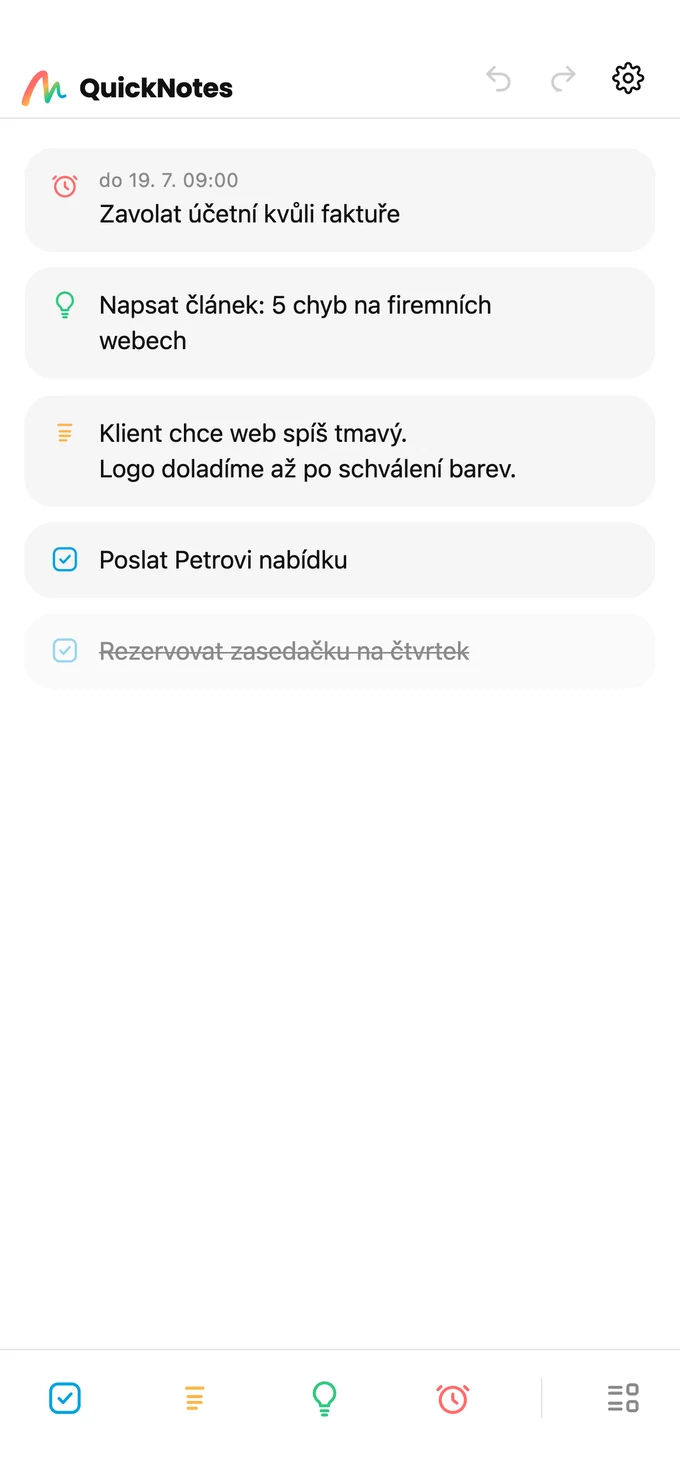
QuickNotes is built so that nothing stands in your way. Every illustration below is a slice of the real app.
One surface
Every note lives in the same place. No folders, no notebooks, no “where should this go”.
Four kinds of record
Task, note, idea and a reminder with a date and time. You need nothing more.
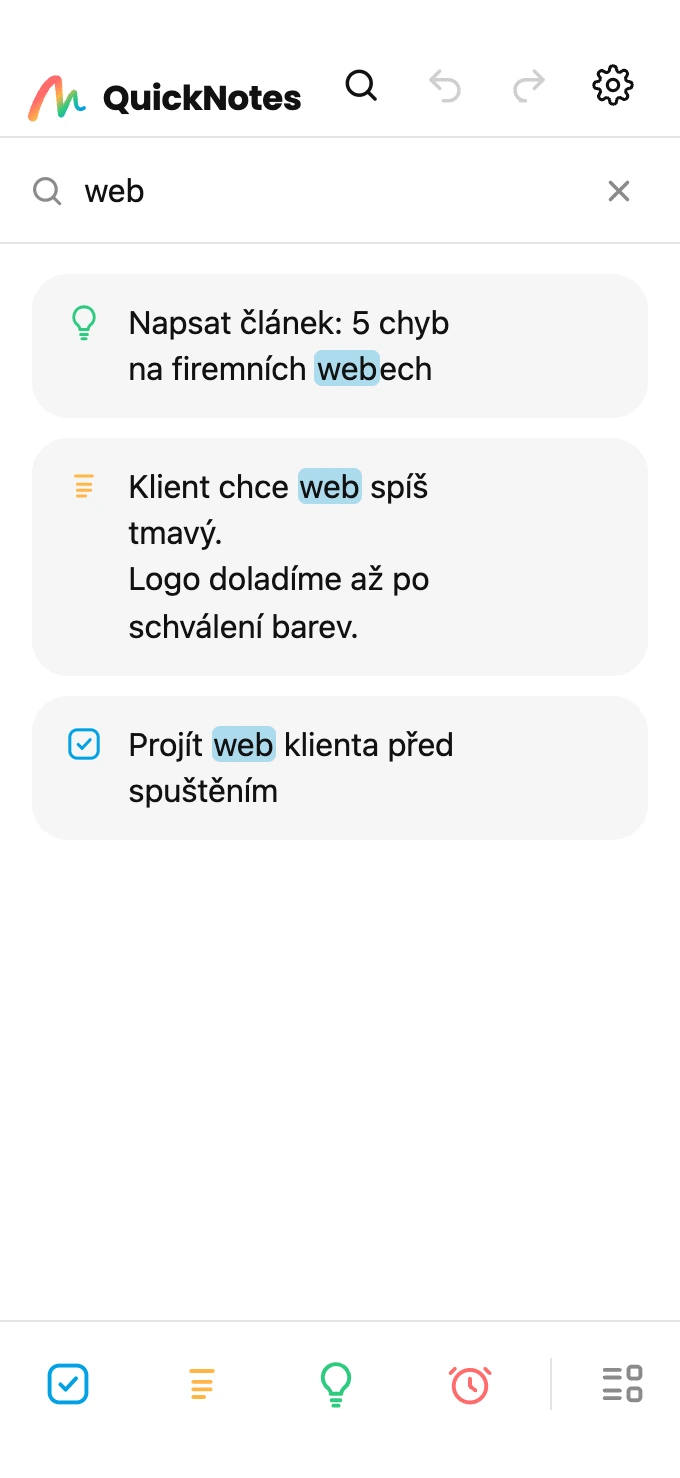
Search, accents optional
Type “meeting” and you get “Meeting” - accents and case do not matter. The match is highlighted right in the text.
Group it, collapse it
One tap and records line up by type. A heading collapses its section and shows how many are waiting inside.
Swipe and it is done
Right = done. Left = trash. Tap to edit. There is no faster way to run a list.
Reminders speak up
Set a time and your phone chimes at that moment. Nothing else to configure.
Straight to your calendar
Turn a reminder into a calendar event with one tap - and the app never asks for calendar access.
It tidies itself
Completed items go grey, then move to the archive a day later. Deleted ones wait in the trash - nothing vanishes for good.
Look and mode
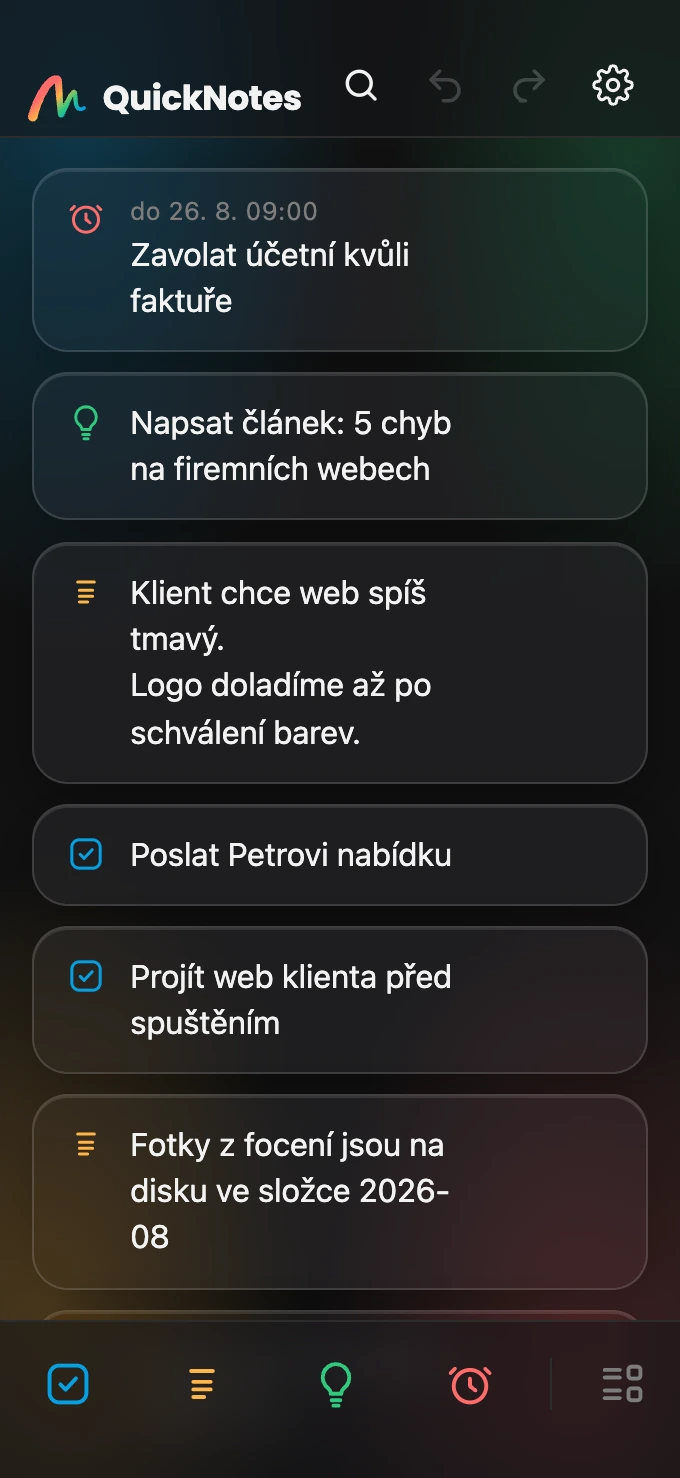
Mono, Color and Glass. Plus light and dark mode - or Auto, which follows your phone.
Screens
Simplicity that is easy on the eyes
One surface, grouped by type
Search, accents optional
Archive and trash
Glass look in dark mode
Privacy
Your iPhone. Your data. Full stop.
QuickNotes has no server, no accounts and no analytics. Everything you write stays on your phone.
If you want to take your notes elsewhere, you save a backup file - and you decide where it goes.
 QuickNotes